

Automated User Acceptance Testing for Enterprise Windows
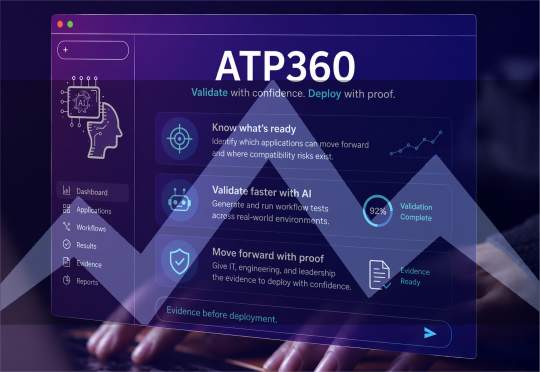
Automated UAT replaces manual test cycles with autonomous validation of application compatibility, build deployments, and user workflows — before changes reach production. WorkspaceDNA with ATP360 turns weeks of manual testing into evidence-backed validation runs, with humans approving every critical decision and all execution contained in your Azure tenant.
What's New!
Windows365 validation rings
Test apps on real Cloud PCs before users ever touch them. Failures show up in validation — not in your ticket queue.
Manual UAT fails at enterprise scale because people can't validate change at the speed change now happens. App owners are accountable for applications they aren't equipped to test, and patch velocity outruns approval cycles.
- Slow, narrow testing: 3–6 week manual cycles that miss most high-risk paths
- Compliance exposure: No audit-grade evidence testing happened
- Security risk: CVEs stay exposed while approvals stall
- Innovation drag: Engineers stuck on repetitive testing instead of real work
Change360
- Application estate mapping
- Dependency discovery
- Compatibility baseline
- Risk-ranked test scope
ATP360
- Install & launch validation
- Dependency validation
- Behavioral change detection
- Pass/fail evidence per app
ATP360 + Boost360
- Pre-deployment checks
- OS & platform updates
- Human approval gates
- W365 Cloud PC validation rings — new
ATP360 + Clarity360
- Script-free testing
- Docs become test logic
- Post-deploy tracking
- Audit-ready reports

Why choose automated UAT with WorkspaceDNA
Compatibility Proven, Not Assumed.
Every application is validated in a real environment before deployment — install, launch, and workflow behavior confirmed with evidence.
Builds Validated Before Users Feel Them.
OS builds, images, and updates are tested against your actual app estate before rollout — now including smoke tests on Windows 365 Cloud PCs.
Zero Scripts, Zero Test Engineers.
ATP360 converts your existing documentation, videos, and notes into structured validation logic. No automation framework to build or maintain.
Audit-Ready Evidence, Every Run.
Step-by-step reasoning traces, timestamped screenshots, and JSON execution records. Forensic-ready proof for regulators — not a black box.
UAT cost calculator
What does manual UAT actually cost you?
Five inputs. No email required. See the hours you spend testing — and the changes that ship untested.
Patch cycles, build updates, image refreshes
Most teams sample — be honest
Coordinating testers, executing cases, chasing sign-off
Annual manual UAT cost
$144,000
1,920 hours · 1.1 full-time equivalents
Changes shipped without validation
1,920 / yr
2,400 app-changes per year — you test 480 of them
Your validation gap
Every unvalidated change is a help-desk ticket, a compliance finding, or an outage that hasn't happened yet. Raising coverage manually raises the cost number. That trade-off is the gap.
Turn this into a business case
Get your numbers as a one-page PDF — built to forward to whoever owns the budget.
Estimates based on your inputs. Assumes 1,800 productive hours per FTE per year.
Book Your UAT Readiness Review
See how many of your applications, builds, and workflows can be validated autonomously.Your Fast Track to Future-Ready Workspaces

Scale modern management with impact-aware automation.
Automated readiness and validation for OS upgrades.
Move from VDI to Windows 365 or Azure Virtual Desktop with predictable application behavior.
Comprehensive insight plus safe execution across apps, devices, and compliance.
Featured Resources

Introducing: ATP360 | Autonomous Validation for Microsoft Workspaces
.png?width=300&name=ATP%20YouTube%20Tile%20(1).png)
ATP360 insiders Update: Let's talk autonomous validation
UAT is Broken. Here's What We Did About It
with CTO, Co-founder Samit Halvadia
